Build a Dungeon Labyrinth Multiplayer: Co-op Runs With Friends
Learn how build a dungeon labyrinth multiplayer runs work in Roblox: three random floors, shared group rewards, six-player servers, the wave 10 checkpoint, and where to find a team.
Published: Build a Dungeon Wiki Editorial Team
Table of Contents
How Build a Dungeon Labyrinth Multiplayer Works
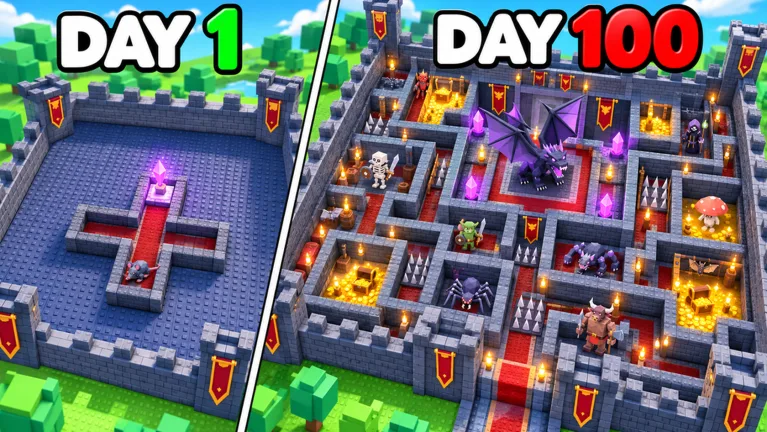
Build a Dungeon is a Roblox dungeon game by Exploration Guild that is still in beta, and its core loop is defensive: heroes enter through a one-way entrance, walk the corridors you lay down, and try to break your dungeon crystal while your monster units and traps wear them down. The Labyrinth is the separate exploration mode that Update 6 added on top of that loop.
The developer describes the Labyrinth as a randomly generated maze holding monsters and treasure chests, with three floors in a single run. You can explore it alone or with friends, group rewards are shared, and difficulty scales between runs, so a harder attempt is the one that pays out more. Because every descent is generated fresh, there is no fixed route to memorise and nothing to look up ahead of time.
Labyrinth and server detail
Confirmed behaviour
Floors per run
Three floors, randomly generated for each run
Run contents
Monsters to fight and treasure chests to open
Party options
Solo, or together with friends
Group rewards
Shared between the players in the run
Difficulty
Scales between runs, and rewards scale with it
Server size
Six players per Roblox server
Voice and camera
Not supported by the game
Chest contents and drop rates
The developer has not published this, so check the in-game interface
What Co-op Changes in Practice
In practice, a group run does not change the Labyrinth itself: the same three random floors, the same monsters, and the same treasure chests are there whether you bring one friend or five. What changes is how the work is split. Rewards are shared, so a chest opened by one player is not a private payout that the rest of the party misses, and nobody has to race teammates to the loot.
Communication is the real constraint, because the game has no voice chat and no camera support, and a server holds six players. Plan your roles in text before you start, or bring your own voice call outside the game, and remember that a run regenerates its layout, so "follow me, I know the way" does not carry over from your last descent.
Chests and Shared Loot
Treasure chests are part of every run and group rewards are shared, so splitting up to cover more ground is reasonable. The developer has not published who is allowed to open a specific chest or what each chest holds, so check the in-game interface if you need the exact rule before you commit to a route.
Solo Runs
Nothing about the mode requires a partner. The same three-floor, randomly generated Labyrinth is available to a solo player, and the difficulty scaling between runs still applies, so a solo run is a legitimate way to learn the layout rules before you invite anyone.
Finding a Team
The official Discord and the Exploration Guild developer community are the two official places to look for other players, and the game page is where you join a server.
A Failed Run and the Wave 10 Checkpoint
A wipe does not send you back to the beginning of your dungeon. Recorded gameplay shows a checkpoint at wave 10, and a failed level restarts from the most recent checkpoint, so the run resumes from wave 10 rather than from wave 1. That is the same behaviour solo and in a group, which makes a failed co-op attempt a short setback instead of a lost evening.
Pick solo or co-op first: decide whether you are descending alone or with friends, since group rewards are shared and the party is what you are committing to.
Set the difficulty: rewards scale with the difficulty you choose, so take the hardest run your units can realistically finish.
Descend all three floors: clear the monsters on each randomly generated floor and open the treasure chests you find.
Split the search: because rewards are shared, spreading out to find chests costs the party nothing.
Expect a checkpoint restart: if the run fails, play resumes from the most recent checkpoint, recorded at wave 10.
Reinvest and repeat: spend the payout, then raise the difficulty on the next attempt.
Tip
The LABYRINTH code grants 3 Soul Booster Potions, 10,000 Coins, and 1,000 Souls, which is a reasonable stock to hold for a group run you expect to finish. Redeem it from the Settings button in the top-left corner of the screen, then type the code and press Redeem.
Preparing a Group Run
Confirm the current difficulty and reward text on the in-game Labyrinth screen before anyone commits.
Agree on roles in text before you start, since the game has no voice chat or camera support.
Keep the party inside the six-player server limit so nobody is left waiting outside.
Save Booster Potions for a difficulty the whole group can finish, not just the strongest player.
Remember the layout is regenerated each run, so nobody can lead the group from memory.
Treat any chest contents or drop rate you see outside the game as unverified, and check the in-game interface instead.
Frequently Asked Questions
Can I play the Labyrinth with other players in Build a Dungeon?
Yes. Update 6 added a randomly generated three-floor Labyrinth that you can explore alone or with friends, and the developer states that rewards are shared in a group.
How many players can join one Labyrinth server, and is there voice chat?
Roblox servers hold six players, and the game does not support voice chat or camera features, so plan on text and an outside call for coordination.
What happens to the group when a Labyrinth run fails?
A failed level restarts from the most recent checkpoint rather than from the first wave, and recorded gameplay puts that checkpoint at wave 10. The developer has not published any other checkpoint schedule, so check the in-game interface after an update.